
A home network built for how a modern house uses the internet — 4K streaming, smart devices, cameras, remote work, and everyone on every device at the same time. No dead zones. No daily reboots.













The single most common call we get starts with "the WiFi keeps dropping." Almost every time, the answer is the same — it's not the ISP, it's not the router Comcast sent you. It's that the network wasn't designed for the house.
A 4,000-square-foot home with brick walls, a basement theater, outdoor speakers, six cameras, and two teenagers streaming 4K needs an actual network. Not one mesh pod from Costco. Not whatever came in the box.
We design networks the way commercial integrators do — real access points, real managed switches, real VLAN segmentation — scaled down to what a residential property needs. The result is WiFi that does what it's supposed to do, every day, without thinking about it.
This is the path a packet takes in a home we build. Dashed lines move in real time because that's how the network actually behaves.
This is how we actually think about WiFi: as a heatmap, not a guess. Click anywhere on the floor plan to drop a virtual access point and watch coverage rebalance. Remove one to see the dead zone it leaves behind.
Real site surveys use signal meters, not guesses. This is the same math simplified — inverse-square falloff with wall attenuation.
Click to run a simulated test. Numbers land in the range our real Montgomery County clients see after a proper install — ranging from 400 to 950 Mbps over WiFi, depending on plan and device.
The number on your ISP bill is the ceiling. What actually reaches your laptop in the primary bedroom is the test we run on install day — at every endpoint, on every floor.
"Real speed tests run during install." — every install, every endpoint, documented in the handoff packet.
Fios jumped to 2 Gig in Montgomery County. Xfinity is pushing 10 Gig in select ZIPs. The catch: most homes older than ten years are wired Cat5 or Cat5e — which tops out at 1 Gig over any practical distance. Before you pay for a plan your house can't carry, run the decision below.
Thirty minutes at the rack. We identify your cable grade, test every drop on a certifier, and tell you — honestly — whether the bottleneck is the wire, the router, or the ISP plan. No charge, no pitch.
When the WiFi works, nobody notices. When it doesn't, nothing else in the house matters. The goal is to make the network invisible — so everything on top of it can do its job.— Rick · SWAT A/V · North Potomac, MD
We're brand-agnostic. We pick the right stack for the home — not the one with the best rebate this quarter.
Structured cabling — Cat6 or Cat6A pulled to every TV, AP, camera, rack, and workstation — is labeled, terminated on a patch panel, and documented. Every network we install is monitored via OVRC. If an AP locks up at 2 a.m., we reboot it remotely — usually before you notice.
A proper home network isn't one flat shared pool. We segment by purpose — so if a smart bulb gets compromised, it can't reach your bank app. If a guest brings a malware-laden laptop, it can't reach your cameras.
We walk the property, measure signal at every wall, read building materials, and map dead zones. For larger homes we run a proper heat map before we quote.
How many devices, which are bandwidth-intensive, which need low latency, how many rooms stream 4K at once. We size for peak load, not average.
Where the router lives, how many APs and where they mount, which endpoints hardwire, what VLAN architecture segments guests, IoT, and cameras.
Cat6 / Cat6A pulled to every endpoint. Conduit where appropriate. Patch panels terminated, tested, and documented. No shortcuts.
Hardware installed and tuned for channel assignment, transmit power, and roaming. Firmware locked to tested versions. Remote monitoring enrolled.
Network diagram, device list, credentials vault, and WiFi credentials handed off. Any family member can get a new device on the network in 30 seconds.
Every network is scoped to the home. These are the three tiers nine out of ten residential projects land in.
Photos from real projects across Potomac, Bethesda, and the DMV. No renders, no stock — every frame is a finished install.
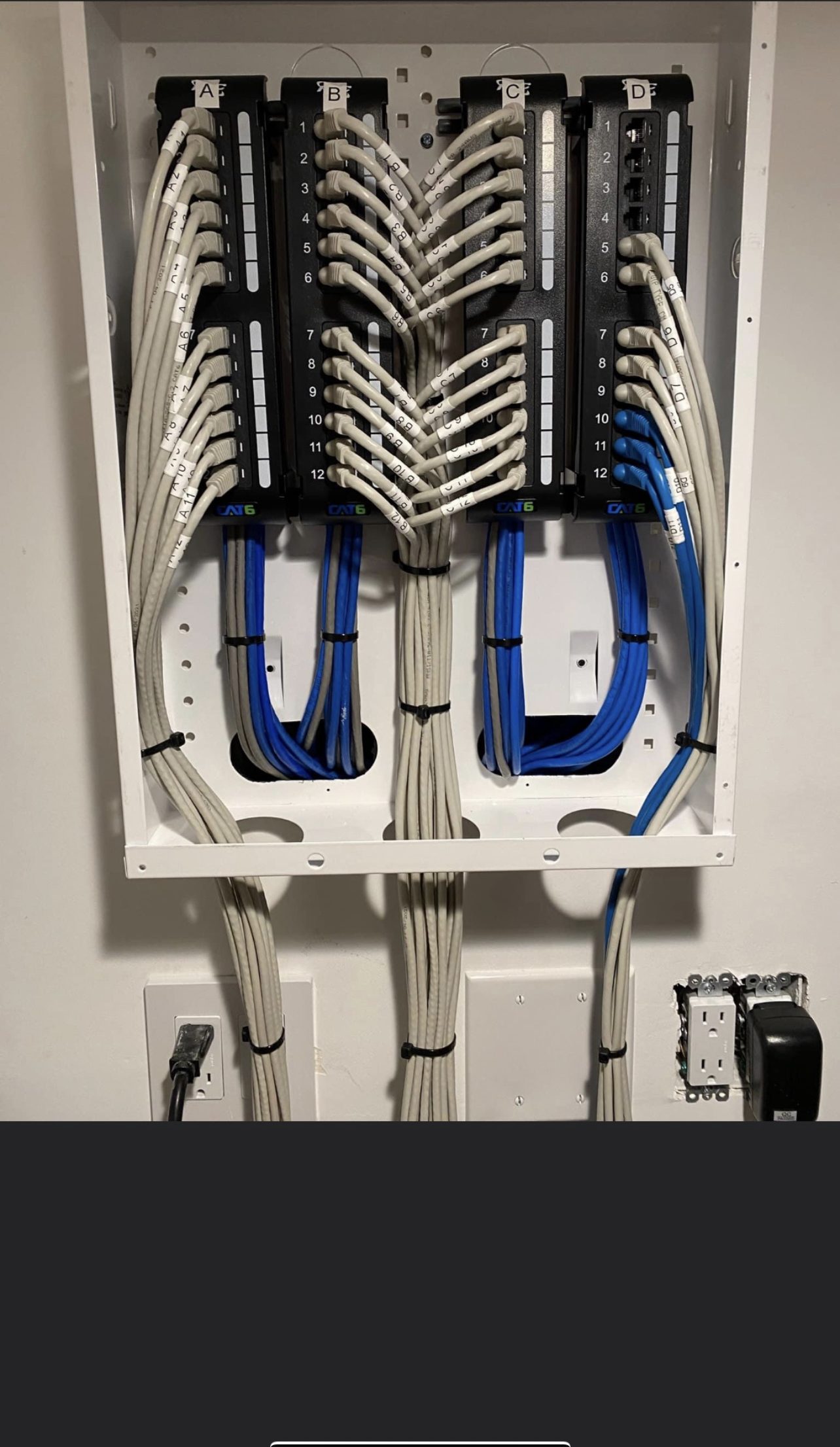
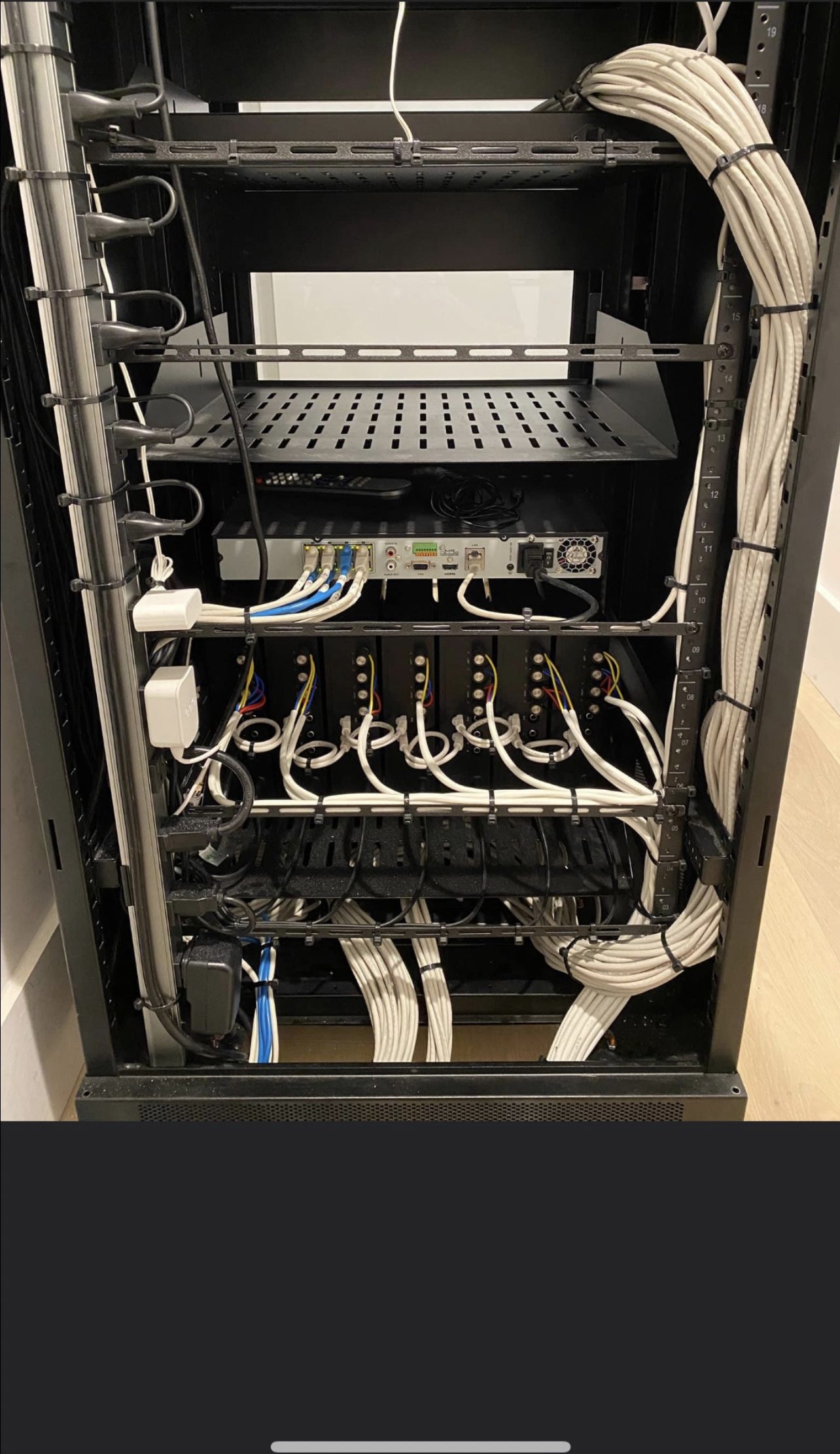
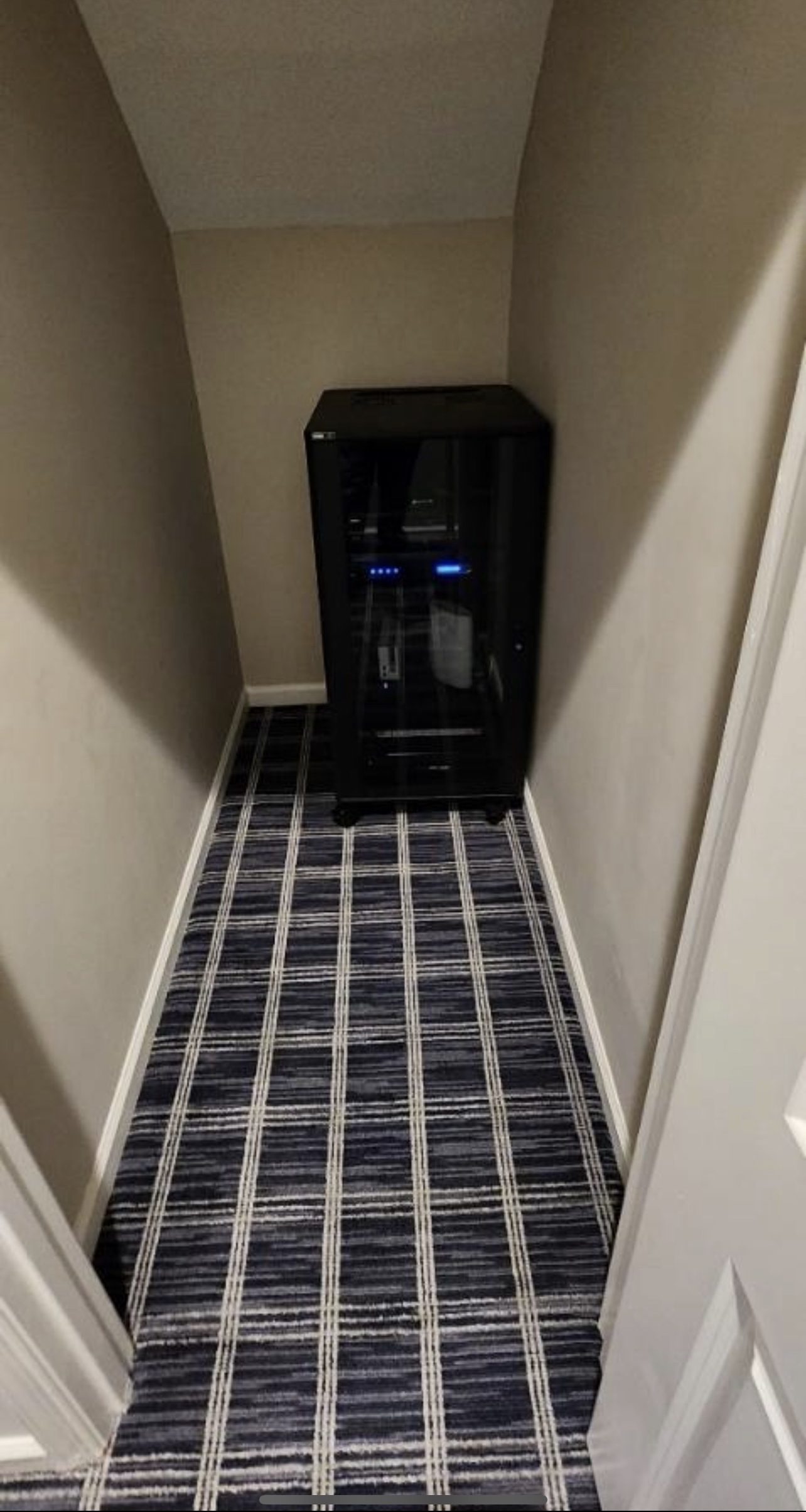
A mesh system uses one node as the "router" and the rest as wireless repeaters, sharing the same radios they use to talk to your devices. That works in small homes. In a real house, mesh backhaul becomes the bottleneck. A multi-AP setup uses dedicated ceiling or wall APs, each hard-wired back to a switch. Every AP gets its own full-speed path — no repeating, no backhaul tax.
For 95% of homes, WiFi 6 is more than enough. WiFi 6E opens the 6 GHz band — valuable in interference-heavy environments with modern client devices. WiFi 7 matters for specific bandwidth-hungry cases (8K streaming, VR, large local file transfers). We won't sell you WiFi 7 you won't use — but we'll spec it into a new build when the price-to-performance is right.
A VLAN is a "virtual LAN" — a logical slice of the network that keeps device types separated even on the same physical wire. Your laptop on VLAN 1 can't see your thermostat on VLAN 20, and your guest on VLAN 40 can't see either. This is how commercial networks work. It's how a compromised smart bulb stops being a threat to your bank login.
Eero Pro 6E is a great mesh for a 2,000 sqft house with modest demands. Once you have cameras, a theater, smart-home controllers, outdoor coverage, or a 4,000+ sqft footprint, you cross the line where real APs, a managed switch, and VLAN segmentation stop being optional. We'll tell you honestly which side of that line you're on.
Yes. When the power blinks, your modem, router, switch, and APs all reboot — which means five to ten minutes of no internet, no security cameras, and no smart-home scenes. A properly sized UPS at the rack keeps the whole network alive through 60 – 120 minutes of outage. It's the single cheapest reliability upgrade in the house.
Every OVRC-enabled network we deploy reports its health to us 24/7/365. If an AP locks up at 2 a.m., we reboot it remotely — usually before you wake up. If firmware needs patching, we do it during off hours. If a switch port dies, we know before you do. Included on every install. No monthly fee, no service contract.
Every network build starts with a site survey. Tell us where the dead zones are, and we'll show you what a real home network does.
Consumer mesh kits (Eero, Orbi, Deco) are designed for 1,500 to 3,000 sq ft single-story homes with wired backhaul. Most homes we work in are 4,000+ sq ft, multi-story, with brick or stucco exterior walls that block Wi-Fi. Without dedicated wired backhaul to each access point, mesh nodes degrade fast. We install enterprise-grade Wi-Fi (Ubiquiti UniFi, Ruckus, Araknis) with hardwired backhaul to every access point — same gear hotels and offices use.
Less than the salesperson told you. A typical 4-person smart home with 30 to 50 devices, 4K streaming, video calls, and security cameras runs comfortably on 300 to 500 Mbps. Gigabit fiber is overkill for most homes but worth it if you're transferring large files, running cloud-based AV, or future-proofing. Upload speed matters more than download for video calls and cloud backups.
Often, yes. Adding additional access points in attic or basement spaces, running Cat6 through existing wire chases, or using MoCA over coax can solve most coverage gaps without drywall work. We start with a site survey to find the real signal floors before quoting anything invasive.
Yes. All our network installs include 24/7 remote monitoring via OvrC. We see device drops, firmware issues, and ISP problems in real time and fix most issues remotely before clients call. On-site support is included for the first year, optional after that.
Ubiquiti UniFi for most residential, Ruckus for homes needing very high client density (50+ Wi-Fi devices) or where roaming between APs must be flawless, Araknis for OvrC-managed installs that integrate tightly with our AV gear. We don't install Eero, Orbi, or consumer mesh in homes over 3,000 sq ft — the support load isn't worth the savings.